Should You Print Digital Art at Home or Use a Professional Printer?
A small landscape beside your reading chair and a statement piece above the sofa may begin with the same digital file. They do not necessarily need the same printing process.
Print at home when your equipment supports the size, paper and result you want—and you enjoy controlling the process. Choose a professional service when the project exceeds those capabilities or when proofing, consistency and finishing justify the extra coordination. The useful question is what your particular print requires.

In this guide
1. Start with size and paper compatibility
First, decide the finished image size. Then check whether your printer can handle the sheet dimensions, paper thickness and printing area that size requires. “It takes Letter paper” does not automatically mean it can produce a borderless image across an entire 8.5 × 11-inch sheet.
An 8 × 10-inch image might fit on Letter paper with margins, provided the printer's usable area allows it. A 24 × 36-inch image exceeds a Letter-only printer's capacity. That is a straightforward reason to use a suitably equipped service, without making any judgment about your printer's quality.
Some desktop photo printers handle larger or thicker media than office models. Capabilities belong to the specific machine, paper and feed path; check its manual. If you are still deciding scale, begin with how to choose the right print size for every wall.
Paper choice is another threshold. Confirm that the sheet is intended for your printing technology and supported by the printer. Our matte, glossy and fine art paper guide helps narrow the surface you want. A paper labeled “fine art” still needs the right coating, ink and handling settings.
2. Recognize when home printing makes sense
Home printing is appealing for modest sizes, quick layout checks and small batches on a setup you already know. You can inspect a result, make a deliberate adjustment and print again without waiting for delivery. For someone who enjoys that process, the control is part of the value.
Consider two 8 × 10-inch prints for a bedroom. If your printer supports the chosen paper and produces a sample you like, there may be little reason to outsource. Keep the file version, paper, print quality and relevant settings consistent, then inspect both prints together before framing.
A home proof is also useful for checking composition and the relationship between an image and its mat. However, a proof from your home printer does not predict the exact color or surface of a different lab's paper-and-ink combination. Use it to answer the questions it can actually resolve.
Home printing becomes less convenient when every sheet requires troubleshooting. Missing lines, unexpected color shifts or repeated feed problems call for the manufacturer's checks before using more expensive paper. You are taking responsibility for maintenance and quality control as well as pressing Print. That can be worthwhile, but it belongs in the decision.

3. Know what a professional service should add
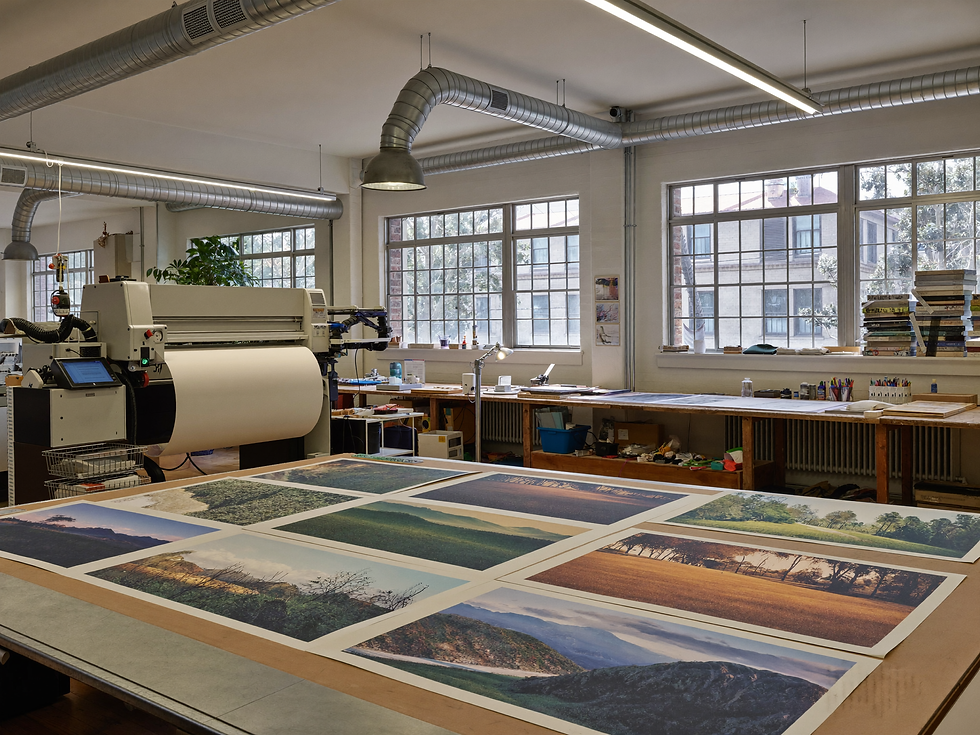
A professional service is worth considering for large formats, specialized media, repeat orders that need to match, or work requiring accurate trimming, mounting and framing. Ask which of those services the provider actually offers. A general copy counter and a specialist fine art lab may solve different problems.
For example, WhiteWall's US fine art print page lists named papers, custom formats, optional white borders and matting or framing options. That illustrates what an expanded production service can provide. It is not proof that every commercial printer offers the same choices, or that a lab print will automatically outperform your own.
When ordering a coordinated set, ask whether the pieces can be printed together on the same paper and process. For later reorders, keep the order number, paper name and approved file. A provider with a documented workflow may reduce your workload, but consistency still needs to be checked against a reference.
Professional printing also adds a handoff. You must specify the image size, borders, crop and finish clearly, then allow time for production, delivery and any correction. Local pickup may simplify inspection; an online service may offer broader options. Choose the service whose capabilities and process suit the project.
4. Agree on color handling and proofing
Before ordering, ask whether the service applies automatic enhancement or technician adjustments. These may be helpful for an everyday photograph, yet change a deliberately muted painting. Mpix's FAQ, for example, describes technician adjustments to density, color and contrast, with an option to decline color correction.
Explain your aim: preserve the supplied artwork's intended appearance, or request a reviewed adjustment. Ask how that choice affects the service's remake policy. Do not assume an unchecked enhancement box guarantees accuracy; the file, monitor, paper, ink and viewing light still matter.
Follow the provider's file instructions rather than automatically converting everything to CMYK. If it supplies an ICC profile, read how it should be used. WhiteWall specifies that its downloadable product profiles are for soft proofing, not for embedding in the submitted image or converting its color space. Other workflows may differ.
A soft proof is an on-screen simulation. For an important enlargement, ask about a physical proof on the intended paper and process. Neither route can supply detail missing from the source file; check 300 DPI versus 150 DPI for digital art before deciding how large to print.

5. Check cropping, borders and bleed
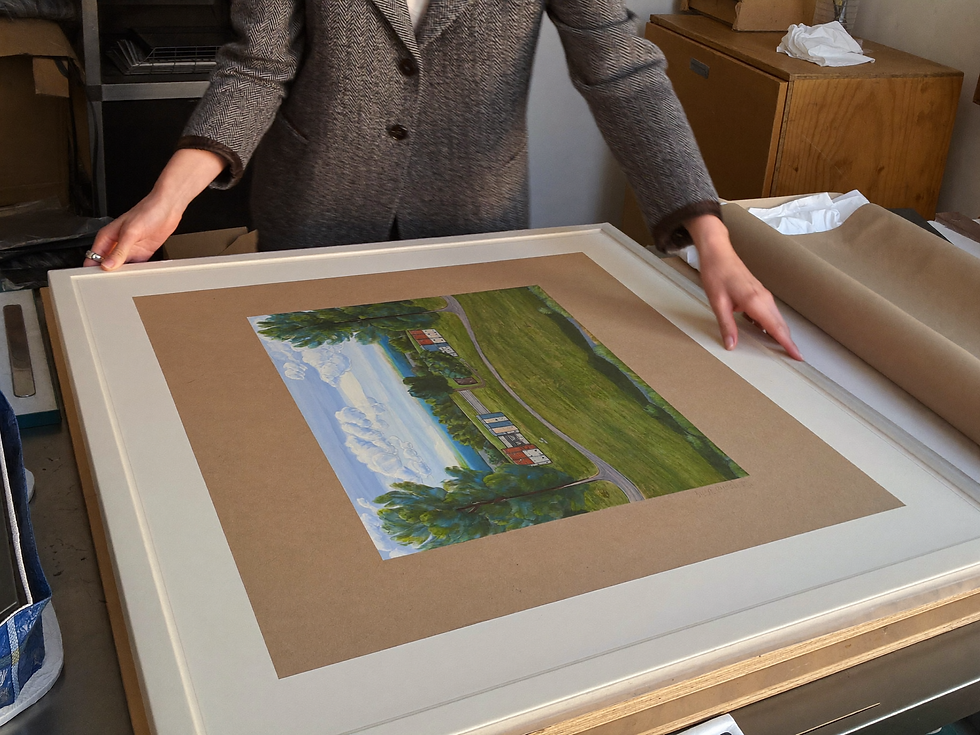
Three dimensions deserve separate attention: the image, the paper and the visible opening after framing. A print can be correctly sized on its sheet and still lose a detail beneath a mat. Tell the printer which boundary your requested measurements describe.
If the image and paper have different proportions, filling the sheet requires cropping unless you distort or otherwise change the artwork. Fitting the full image preserves its proportions but may leave borders. Our aspect-ratio guide explains that choice with practical examples. Check all four edges in the preview.
Borderless printing can introduce another crop even when the proportions match. Epson's guidance explains that image enlargement can push content beyond the paper's boundaries. Check the expansion setting or ask the service how it handles edge-to-edge printing.
Bleed is image area extending beyond a planned trim line. If a service requests it, obtain its exact specification and template; there is no single allowance to assume for every product. Keep essential details inside its safe area. When every edge matters, consider a white border or a larger sheet trimmed to an agreed size.

6. Compare the complete cost
The price of one blank sheet is not the cost of one successful print. At home, include paper, ink, test sheets, rejected prints and relevant maintenance supplies. Epson notes that head cleaning consumes ink. If you would need to buy a printer, include that purchase rather than assuming future prints make it free.
For a service, compare the quoted print with proofs, shipping or pickup, tax, trimming and any mounting or framing. Compare equivalent image dimensions and finishes. A bare print and a mounted, ready-to-hang piece are different purchases.
Production — Home: Paper, ink and maintenance Professional service: Print price and selected options
Getting it right — Home: Tests, rejects and your time Professional service: Proofs and correction arrangements
Finishing — Home: Trimming, mounting or framing Professional service: Included or separately quoted services
Access — Home: Equipment you own or must buy Professional service: Shipping, pickup and turnaround
For an existing home setup, estimate consumables per acceptable print rather than per sheet fed through the machine. For a purchase decision, divide the equipment cost across a realistic number of prints. Occasional printing and regular production can lead to different answers; neither needs an invented universal break-even price.
7. Choose a route for your next print
For a few standard-size pieces, begin at home if your printer supports the paper and a sample meets your expectations. Record the settings you used. If the sample fails, identify whether the cause is the file, maintenance, paper compatibility or color handling before buying more supplies.
For a large statement piece, specialized surface or coordinated set requiring dependable repeats, ask a suitable professional service for a clear specification and proofing options. Confirm cropping, correction settings and finishing in writing. Approve the sample under the lighting where the artwork will live, then keep it as a reference.
A mixed approach can work well: use home prints to test scale and composition, then obtain a lab proof for the final material and color decision. The first test helps you plan; the second checks the production process you intend to use.
Choose the route that gives your artwork the space, surface and attention it needs within your budget. When you are ready, explore Havenest's downloadable wall art on Etsy, check the individual listing's included files and sizes, and bring those details to your printer or print service.

Sources and review basis
Desk research of official manufacturer and print-service guidance, reviewed October 3, 2026. No comparative physical testing was performed. Service examples illustrate capabilities and policies, not a ranking or firsthand endorsement. Sources are linked beside the relevant claims.
Written by Emma for Havenest.



Comments